
An equipment checklist comes back with “issue found” selected, but no useful description. The office now has to find out which item was involved, what the crew noticed and who is dealing with it. The form was completed, yet the handover is still unfinished.
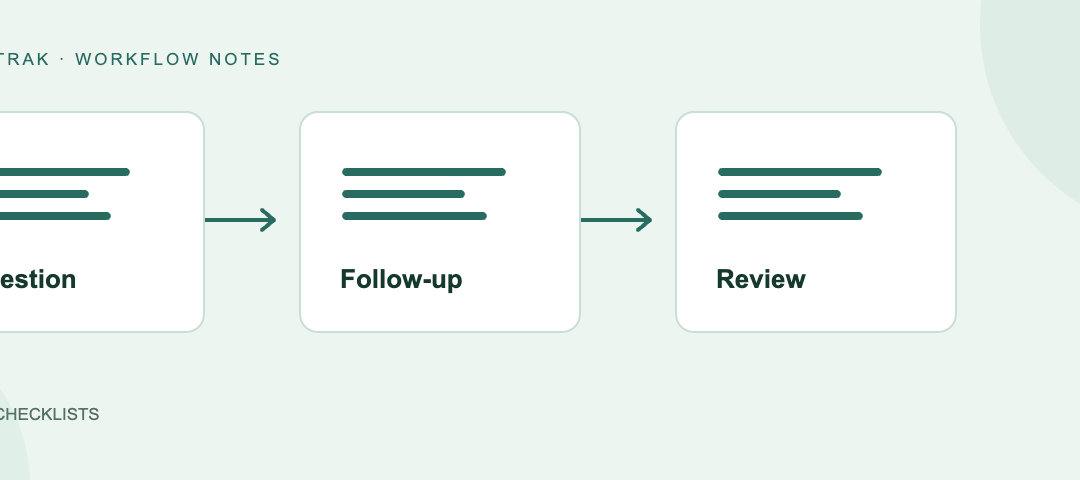
A useful digital checklist gives the crew clear questions and the office enough context to act. Start with one familiar form, follow an exception through to review, and improve the questions that leave people guessing.
Here is a simple equipment-issue example you can use to think through the design. It illustrates a form workflow; your actual inspection requirements and equipment instructions determine what needs checking.
Give the record a clear purpose
Our example has one purpose: record an observation about an item and give the reviewer enough information to organise follow-up.
Start by identifying the item, the relevant work and the person completing the form. Decide when it should be completed and who reviews the result. That context makes an answer such as “issue found” useful to someone who was not there.
Trafftrak supports forms linked to assignments and general forms used independently. Choose the arrangement that fits the task, so the completed record can be understood in the context of the work.
Ask questions the crew can answer clearly
Avoid combining several judgements into “Is everything correct and safe?” A reviewer cannot tell which part of that question a “no” refers to.
For our example, a clearer sequence is:
- Identify the item being inspected.
- Record whether an issue was found.
- If yes, describe the observation and provide the relevant supporting information.
- Record any action already taken and what still needs follow-up.
Use terms your crew recognises. Where “not applicable” is an option, define when it is appropriate. The goal is a record that another person can interpret without reconstructing the conversation afterwards.
Show the follow-up when it is needed
When the crew selects “issue found”, the next question should help explain it. When no issue is reported, unrelated follow-up questions need not crowd the form.
Trafftrak checklist templates support conditional questions shown in response to earlier answers. In our example, an issue response can reveal a description field. That keeps the ordinary path focused while making room for detail when something needs attention.
Test both paths, including changing an answer after entering a description. Read the completed result as an office reviewer would: does it still tell a coherent story?
Make photos and signatures earn their place
A useful photo shows the observation clearly enough for the reviewer to understand it. A short description explains what they should look at. Together, they can provide context that “issue found” alone cannot.
Trafftrak supports checklist photos, signatures and drawings, including settings to require photos for selected questions. Use those inputs where they serve the form’s purpose. If a signature is requested, explain what the person is acknowledging.
In our example, decide which observations need a photo and test whether the resulting image and description are useful to the reviewer. Collect the information needed for the task, rather than adding attachments simply because the form allows them.
Give the exception a next step
The crew has now identified the item, described an issue and supplied a photo. The next question is who acts on it.
Trafftrak can trigger checklist alert emails from configured answer values. It also supports checklists requiring office approval, with a declined checklist reopened for the crew to address. Those options help connect the returned form with review and clarification.
For our example, nominate who monitors the alert, who assesses the record and how any missing information gets back to the crew. Keep responsibility for resolving the issue clear: an email or completed form does not itself close the matter. Urgent operational issues should follow your team’s direct escalation process.
Trial the whole handover
Have a crew member and an office reviewer try the form together with sample information. Run an ordinary result, an issue requiring follow-up, a missing required answer and a correction.
Look at both ends of the process:
- Can the crew find the right form and understand each question?
- Do the relevant follow-up fields appear?
- Can the reviewer understand the item, observation and attachments?
- Is it clear who handles missing information and the next action?
Use the devices your team expects to work with. If connectivity is a concern, include it in the trial. Then review a small set of completed records and refine any questions that repeatedly cause confusion.
Use an existing form builder to put the process into practice
You do not need to design every template at once. Start with the form that creates the most clarification work and establish what a useful completed record looks like.
Trafftrak brings configurable checklists and forms into the field app workflow. You can shape the questions, supporting information and review settings around the task using an existing form builder. The practical test is whether the crew can complete the record clearly and the office knows what to do with it.
Bring one of your forms to a demonstration
Bring a form your crew uses today and an example of an answer that needs follow-up. We will show how its questions, photos and review steps could work in Trafftrak, so you can judge the result from both the crew’s and the office’s perspective.
Sources
- Trafftrak digital checklists and forms — templates for assignment-linked and independent field records.
- Trafftrak field app — the field side of the workflow.