
The roster says 3 pm. The crew’s docket says 4 pm. Accounts needs to prepare the run, but nobody has explained the extra hour. Is the record wrong, or did the job finish later than planned?
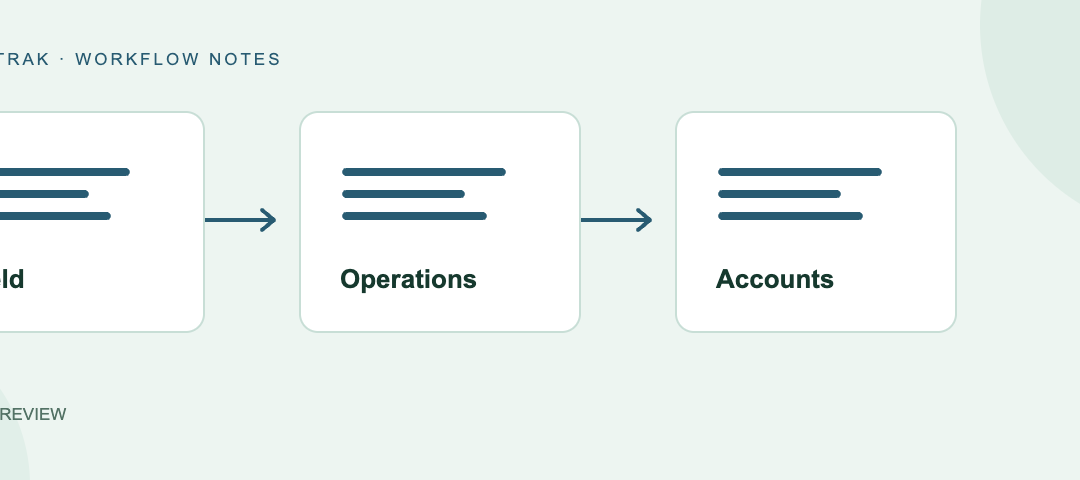
A clear docket review process gets that question to the right person before it becomes a payroll or invoicing problem. The crew records the work, operations checks the job details, and accounts reviews how the information should be processed.
Trafftrak supports that handover through digital dockets and separate operations and accounts checks. Follow this example of a later finish to see what each person contributes. If your team says “timecard” or “work record”, the same handover questions apply.
Capture the work while the details are fresh
In our example, work continues until 4 pm. The team leader records the actual finish and explains the reason, rather than leaving the office to guess why it differs from the roster.
Trafftrak’s digital dockets let team leaders record worked hours. Available fields depend on the configured workflow and can include individual times, breaks, allowances, comments and allocated resources. That gives the office a field record to review alongside the planned job.
The useful result is more than a time: it is enough context to understand what happened. A difference from the roster is a reason to investigate, not an automatic reason to replace the recorded hours.
Understand what client sign-off confirms
Client sign-off and internal review serve different purposes. In the later-finish example, the client may acknowledge the work record while operations still needs to understand the change and accounts needs to apply the relevant processing rules.
Trafftrak supports docket sign-off and separate operations and accounts checks. Keeping them distinct helps the office see which part of its review has been completed.
Agree what sign-off means in your process and who follows up if it is missing. One signature should not be treated as an answer to every operational or accounts question.
Let operations resolve the job question
Operations is usually best placed to investigate why the crew worked later. The reviewer can establish what changed, clarify the explanation with the team leader and make sure the record refers to the right work.
For this docket, the review should establish:
- The correct job, shift and people are recorded.
- Start, finish and break details are clear.
- The later finish has an understandable explanation.
- Relevant resources and supporting details are present.
- Any missing sign-off or information has a person assigned to follow it up.
Trafftrak provides views and exception outputs for records needing attention, including unsigned dockets and dockets not created or submitted. These help the office identify outstanding work instead of relying on memory alone.
Once the operational question is resolved, accounts should receive a record it can understand, with any remaining issue clearly identified.
Give accounts the information needed for processing
Accounts now knows why the shift finished at 4 pm. Its next task is to review the information needed for payroll and customer charging, including applicable work types, allowances and configured rules.
Trafftrak supports payroll and invoice preparation through configurable rules and grouped processing of records. The accounts check has a separate purpose from the operational check: deciding how an understood work record should be processed.
The later finish may need different treatment under your business’s pay or charging arrangements. Apply the relevant rules to the actual work; do not alter worked hours simply to produce an expected total. Those rules need appropriate review for your business and region.
Make the review sequence part of your operating process. Trafftrak does not require every docket to be approved or checked before it can be selected for processing. Your team must establish which records are ready and who clears outstanding questions.
Make corrections visible to the next reviewer
Now imagine the team leader corrects a break after operations has already checked the docket. Accounts needs to know which details are current and whether the earlier review needs revisiting.
Agree who can make corrections and how affected reviewers are told. Keep an explanation through your agreed process so a change does not arrive as an unexplained new figure. A completed check should not end responsibility for a record that later changes.
If the information has already been exported, follow the correction process for the receiving system before sending it again. Where edit restrictions or detailed change history are essential, include those requirements in your demonstration.
Follow the record into the system you actually use
A reviewed docket still needs to reach the right destination. Walk through the output your accounts team uses, including the reporting period, employee or account mappings and any errors requiring attention.
For example, Trafftrak’s optional Xero connection lets an operator send payroll timesheets to Xero’s Australian payroll service. It uses the Australian payroll API. For Canadian, US or other payroll requirements, discuss the output you need with the team; available options depend on your setup.
Distinguish a downloadable file from a direct connection when planning the handover. The practical outcome is knowing what was processed successfully and what still needs a person to act.
Finish with three clear answers
At the end of the review, operations and accounts should agree which records are ready, which are waiting and who owns the next action.
For our later-finish example, the path is straightforward: capture the actual work and explanation, resolve the job details, review the processing rules, and send the appropriate output. Exceptions get an owner instead of disappearing between teams.
Trafftrak connects the field docket workflow with office checks and payroll/invoicing preparation. A demonstration using one of your own records lets both teams see how that handover would work in practice.
Walk through a docket with your team
Bring a typical docket and a correction your office deals with regularly. We will follow it from field capture through operations and accounts checks to the output you need, and discuss the setup that fits your business.
Sources
- Trafftrak field app — digital dockets and field records.
- Trafftrak pricing and features — payroll, invoicing and integration offerings; additional charges may apply.
- Xero Payroll AU API overview — the regional scope of the API.